Local Weather:Weather Forecast
- 4.8
- Rating
- 10.00M
- Installs
- Free
- Price
 Analysis by App-foxy
When I first opened Local Weather:Weather Forecast, I approached it as a simple question-and-answer tool: I wanted to know what the weather would be where I was, without digging through a crowded news or travel app. That is still the best way to understand it. This is a free weather app from Enjoy Life Studio, built around local forecasts and the practical habit of checking conditions before leaving home.
My first impression was that it aims to be approachable rather than technical. You do not need to understand weather maps or forecasting terminology to get value from it. The useful starting point is simply choosing or confirming a location, then reading the forecast in the context of your day. For someone installing a weather app for the first time, that straightforward purpose is reassuring.
The app has attracted a 4.8 average from around 578 thousand ratings and has passed 10 million installs. Those figures suggest that its uncomplicated approach works for a large audience, although popularity should not replace your own judgement about whether the presentation suits you. It is available at no upfront cost, with optional in-app purchases ranging from $0.99 to $4.99 per item.
You May Also Like

 AccuWeather: Weather Radar
AccuWeather Review: A Quick, Clear Forecast for Everyday Decisions
For everyday plans, the best forecast is the one you can understand quickly. AccuWeather makes rain timing, radar, and local conditions easy to act on, with a few trade-offs.

 Hill Climb Racing
Why Hill Climb Racing Still Turns Crashes Into One More Run
A tiny car, a bumpy hill and one more upgrade: Hill Climb Racing keeps resurfacing because its simple chaos makes every near-miss feel personal.

 AliExpress - Shopping App
AliExpress Makes Global Shopping Feel Personal, but Shoppers Bear the Risk
AliExpress turns a global marketplace into a pocket-sized discovery engine. Its reach is useful, its shopping loop compelling, and its trade-offs easy to miss.

 Lords Mobile: Kingdom Wars
Lords Mobile Is a Kingdom-Building Routine, Not a Quick Match
A case-by-case verdict on the building, battles, device demands, and social commitments that make Lords Mobile rewarding for some players and exhausting for others.

 PDF Scanner app - TapScanner
TapScanner Makes Paperwork Easier to Capture, Check, and Share
TapScanner makes scanning with a phone feel less like a rescue operation and more like a dependable step in getting work done. Its capture tools are useful, though not flawless.

 Block Blast!
 Shows How Much a Puzzle Game Can Leave Out
A quiet grid game shows why puzzle players increasingly value instant clarity, repeatable skill and low-pressure play—and where the genre still needs to catch up.
More From Our News Desk
View All News


Getting from installation to a useful forecast
I’d use this section to focus on the small setup choices that make a local forecast useful, especially confirming the place you want to check before relying on it. I’d also explain how a quick, repeatable check can support everyday plans without turning weather-watching into a constant distraction.
What to expect when you open it
Local Weather:Weather Forecast belongs firmly in the everyday weather category. I would not install it expecting a professional meteorology workstation, a detailed climate research tool, or a replacement for emergency information from local authorities. Its strength is the ordinary decision that most people make several times a week: should I take a jacket, change my commute, postpone an outdoor plan, or leave earlier?
The store presents it as a local forecast assistant available around the clock. In practical terms, that means the app is most valuable when you make it part of a routine rather than opening it only during a storm. A quick glance before school, work, a walk, or a drive can be more useful than scrolling through a general news feed where weather is only one small section.
The age rating is Everyone, which fits the app’s broad purpose. I can see it working for a parent checking conditions before taking children outside, a student planning a bicycle trip, or an older relative who wants a dedicated weather screen instead of a complicated bundle of services. It is also a sensible choice for someone who wants to keep weather separate from social media and news distractions.
The first setup is more important than it looks
After installation, I recommend resisting the temptation to judge the app before checking the location it is using. Weather information is only useful when the selected place is correct. If the app presents a location choice, select the town, district, or city that best represents where you actually spend time, not merely the nearest famous city.
This matters especially outside large urban areas. A forecast for a city center may not feel accurate in a nearby suburb, coastal area, valley, or rural community. That is not necessarily a failure of the app; it is a reminder that “local” depends on the location you choose. I would make this check immediately, particularly if you travel often or installed the app while away from home.
My practical setup advice is to choose one main location first and learn how the forecast is arranged before adding anything else. A cluttered list of places can make a simple morning check slower. If you need several locations, add them for a clear reason: home, workplace, a family member’s town, or a destination for an upcoming trip. Keeping the list intentional makes the app easier to trust.
The current version is 1.9.2, and it supports devices running Android 6.0 or later. That gives the app a relatively broad reach, including older phones that may not handle newer, heavier weather applications comfortably. On an older device, a focused weather app can be preferable to a large application packed with unrelated content.
Your first successful action
The first meaningful success is not installing the app; it is answering a real question with it. I suggest using a simple test: before leaving for an ordinary errand, open the local forecast, confirm the location, and look at the period that covers the time you will be outside. Then compare what you expected with what you actually experience.
For example, imagine leaving home in the morning for work and returning in the afternoon. Instead of checking only the current conditions, look at the forecast for both parts of the day. That small habit helps you decide whether a light jacket is enough, whether footwear needs to handle wet ground, or whether an umbrella is worth carrying. It also teaches you how the app communicates changes across the day.
A second useful test is planning an outdoor activity that is easy to move. If I am deciding whether to walk to a nearby shop or take a longer route, I want a quick local check rather than a detailed weather investigation. The app earns its place when it reduces that small uncertainty without making me navigate through unrelated screens.
For travel, I would check the destination separately rather than assuming the forecast for home applies everywhere. This is one of the most important habits for first-time users: a forecast is tied to a place, and a familiar interface does not make two locations interchangeable. When I am preparing for a day trip, I prefer to check the destination before packing and again before leaving, because conditions can make a bigger difference there than they do at home.
How I would build it into a daily routine
The best workflow I found is deliberately short. I open the app at the same point in my morning routine, verify the location, scan the current situation, and then look ahead far enough to cover my plans. I do not keep reopening it every few minutes. That would turn a useful tool into a source of unnecessary worry, especially when conditions are changing normally.
For families, the app can support a simple shared routine: check it before school or an outing, then make a practical decision together. For commuters, the useful moment may be before walking to a station. For people who work outdoors, the forecast can be one input alongside workplace procedures and official warnings. The important distinction is that the app helps with planning; it should not be treated as the only authority during dangerous weather.
One non-obvious advantage of a dedicated weather app is mental separation. When weather is buried inside a news application, I often end up reading headlines instead of making a decision. A focused tool encourages a faster check. That is a small benefit, but it is exactly the kind of benefit that determines whether an app becomes part of a routine or gets forgotten after installation.
Common confusion and how to avoid it
The first likely confusion is mistaking a forecast for a guarantee. Even a well-designed weather application cannot make the atmosphere behave perfectly. I use the information as guidance, especially for ordinary plans, but I leave more room for uncertainty when an activity is long, remote, expensive, or difficult to cancel.
Another common mistake is reading only the current conditions. The current moment may be comfortable while the return journey is wet, windy, or much colder. I always connect the forecast to the full time window of my plan. This is more useful than reacting to a single number or icon without considering when I will actually be outdoors.
Location mix-ups can also create an unfair impression of inaccuracy. If you have recently traveled, moved, or added several places, check the active location before deciding that the forecast is wrong. A weather app can be technically correct for the wrong place. I would make location verification a habit whenever the result seems surprisingly different from what I see outside.
There is also a difference between a normal forecast check and a safety decision. For severe storms, flooding, extreme heat, wildfire risk, or other hazardous situations, I would consult official local alerts and emergency guidance as well. Local Weather:Weather Forecast can be useful for everyday awareness, but a general app should not replace instructions from authorities who are responsible for local warnings.
Where it fits beside other weather options
Compared with a weather section inside a news app, this app feels better suited to people who want less distraction. A news application may offer broader reporting and local stories, but weather can become secondary there. Local Weather:Weather Forecast is the more natural choice when the forecast itself is the reason you opened the phone.
Compared with advanced weather services, the trade-off is simplicity. Specialist apps may appeal more to hikers, sailors, photographers, pilots, gardeners, or anyone who needs deep technical layers and highly specific planning information. If your decisions depend on detailed radar interpretation, long-range modeling, or specialized environmental readings, I would look beyond this app rather than expecting it to become a professional instrument.
It also sits between a phone’s built-in weather feature and a full custom weather service. The built-in option may be enough if you only want a glance at today’s conditions. This app becomes more attractive when you prefer a dedicated destination for local forecasts and want an experience centered on that task. The right choice depends less on the rating and more on how much detail you genuinely use.
Small trade-offs worth considering
Because the app is free, it is easy to try without committing money at the start. Optional purchases are available inside the app, but I would use the free experience first and decide whether the everyday workflow already meets your needs. There is no reason to pay simply because an option exists; the value should come from a feature or presentation you personally find useful.
The broad Everyone rating makes it approachable, but simple does not mean perfect for every user. Someone who wants a highly visual map-based experience may find a focused local forecast less satisfying. Likewise, a user who checks many locations for work may prefer a service designed around extensive comparison. I would choose this app for quick personal decisions, not for a demanding forecasting job.
Another trade-off is attention. A weather app can encourage repeated checking, especially when plans are uncertain. My solution is to define the decision before opening it: what time will I be outside, where will I be, and what am I trying to prepare for? That turns the forecast into an actionable tool instead of an endless stream of updates.
Who should install it, and who should skip it
I would recommend Local Weather:Weather Forecast to first-time weather-app users, families wanting a straightforward local check, commuters, students, and anyone who prefers a dedicated app over a news-heavy alternative. It makes particular sense if your main need is to understand the conditions around one or a few familiar places and make ordinary plans with less guesswork.
I would be more cautious about recommending it to professionals or enthusiasts who need specialized meteorological detail. If you plan mountain routes, manage outdoor events, operate on the water, or make safety-critical decisions, use tools and official services designed for those responsibilities. This app can be a convenient extra reference, but convenience should not be confused with professional coverage.
It may also be the wrong choice if you dislike optional purchases in free applications or want every possible weather feature in one screen. In that case, compare the app’s actual daily workflow with a more advanced alternative before settling in. The high average rating shows strong user approval, but it does not mean every presentation style or feature balance will suit every person.
The next step after the first week
After using the app for several days, I would review whether it is helping me make decisions faster. Am I checking the right location? Am I looking ahead to the time I will be outside? Do I understand the forecast well enough to prepare without overreacting? Those questions are more useful than simply asking whether the screen looks attractive.
If the answer is yes, keep the routine small and consistent. Check before important transitions in the day, such as leaving home, starting a commute, or heading outdoors. If the answer is no, identify the exact problem. Maybe the selected location is wrong, maybe you need more detail than this app is designed to provide, or maybe a simpler built-in tool would actually be enough.
Enjoy Life Studio has positioned this as a personal local weather assistant, and that description matches how I found it most useful: as a calm, repeatable way to prepare for ordinary conditions. It does not need to dominate your phone or replace official warnings to be worthwhile. Its real strength is turning a quick local check into a practical decision.
Overall, I see Local Weather:Weather Forecast as a sensible free starting point for Android users who want weather information without a complicated learning curve. It supports devices from Android 6.0 onward, carries an Everyone age rating, and has reached a large audience. I would install it, confirm my location carefully, test it against a real daily plan, and then keep it only if that short path genuinely makes my routine easier.
FAQs for Local Weather:Weather Forecast
01What features does the Local Weather: Weather Forecast app offer?
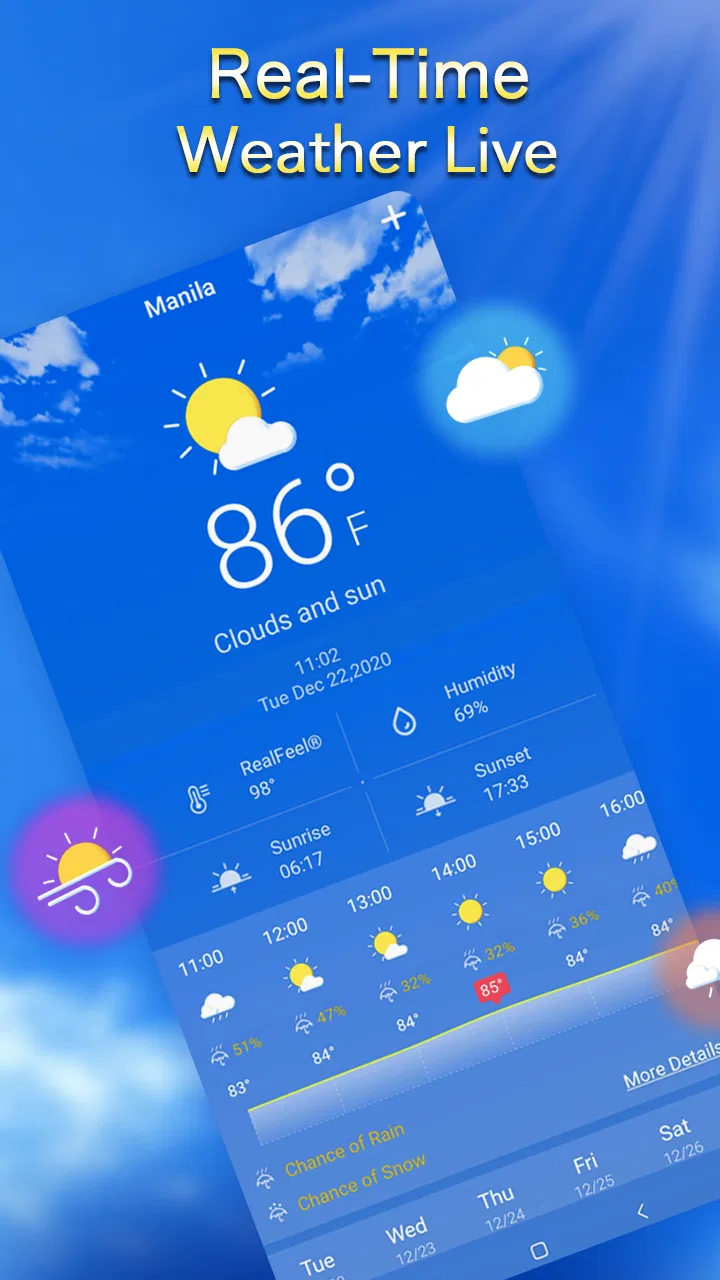
The Local Weather: Weather Forecast app provides real-time weather updates, detailed forecasts, radar maps, and severe weather alerts. Users can customize their experience with different themes and widgets. It also offers information on humidity, wind speed, UV index, and more to help you plan your day better.
02Is the Local Weather app free to use, or does it require a subscription?
The Local Weather app offers a free version with basic features. However, for an ad-free experience and access to premium features like advanced radar maps and extended forecasts, a subscription may be required. Pricing details and subscription levels can vary, so check within the app for current options.
03How accurate are the weather forecasts provided by this app?
The app sources its data from reliable meteorological services to ensure high accuracy. While no forecast is perfect, users generally find the predictions to be precise for day-to-day planning. The app is updated frequently to reflect real-time changes in weather conditions, enhancing its reliability.
04Does the app support international locations?
Yes, the Local Weather: Weather Forecast app supports a wide range of international locations. Users can easily switch between different cities and countries to view local weather conditions. This makes it a handy tool for travelers or individuals who need to monitor weather in multiple locations.
05How user-friendly is the Local Weather app for beginners?
The app is designed with an intuitive interface that is easy for beginners to navigate. It features clear icons and straightforward menus, allowing users to find the information they need quickly. The app also offers tutorials and FAQs within its settings to help users get the most out of its features.
Pros
- Accurate real-time weather updates.
- User-friendly interface with clear visuals.
- Customizable alerts for severe weather.
- Detailed forecasts for up to 10 days.
- Minimal data usage
- ideal for mobile.
Cons
- Ads can be intrusive at times.
- Requires internet for most features.
- Limited widget customization options.
- No support for offline viewing.
- Occasional delays in weather updates.

Local Weather:Weather Forecast
Gallery